Hospitality adopted QR codes faster than almost any other sector, and then spent several years learning which uses stick and which annoy customers. This is what the evidence of that period suggests, organised by what a venue should actually print.
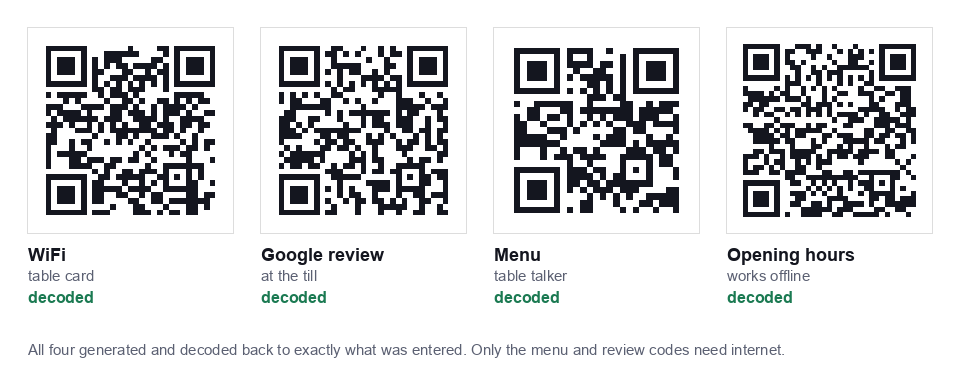
The four codes worth having
1. WiFi access, the highest value, lowest effort
Staff in a busy café repeat the WiFi password dozens of times a shift. A small code on each table or at the till ends that entirely, and unlike a menu code, customers universally appreciate it.
Set this up on a guest network, not your main one. Your till system, back office computer and card terminal should not share a network with every customer's phone. Nearly all modern routers can broadcast a separate guest SSID with client isolation.
Generate it with our WiFi QR code generator, then print the password as text underneath the code as a fallback.
2. Google review link, the highest commercial return
This is the one most venues underuse. A code at the till or on the receipt pointing directly at your Google review form removes the friction that stops satisfied customers from leaving a review.
Get your review link from your Google Business Profile, then generate a static URL QR code for it. Place it where a customer stands after a good experience, at the till when paying, or on the receipt tray. Not on the table at the start of the meal.
Do not incentivise reviews with discounts. Google's policies prohibit it and it can affect your listing.
3. Menu, useful, but only done properly
Menu codes earned a poor reputation because of how they were implemented, not because the idea is bad. The mistakes were consistent: linking to a PDF, removing physical menus entirely, and hiding the code somewhere awkward.
If you do it, do it like this:
- Link to a mobile web page, never a PDF. Pinching and zooming a PDF on a phone is genuinely unpleasant and customers will simply ask for a physical menu.
- Keep physical menus available. The code should be a convenience, not a replacement. Older customers and anyone with a flat battery still need paper.
- Make the page load fast. Customers on mobile data in a busy room will not wait for a heavy page.
The genuine benefit is price changes without reprinting, which for a venue changing specials weekly is substantial.
4. Short instructions, the quiet win
A text QR code needs no internet at all, which makes it useful for things a customer might scan before connecting: opening hours, allergen contact procedure, the WiFi terms, or table service instructions.
What not to do
Do not make the QR code the only way to do something. The pattern that emerged after widespread hospitality adoption is consistent: codes work well as an option and badly as a requirement. Ordering only by QR in particular tends to generate complaints, excludes customers who cannot use it, and often increases staff interruptions rather than reducing them.
Other reliable mistakes:
- Printing too small to fit a table talker design. A seated customer scans from around 40cm at an angle. Below 3cm you will get failures.
- Glossy lamination. Evening lighting reflects off gloss straight into the camera. Matte solves it.
- Codes on the underside of the table or on the wall behind the customer. Flat, visible, well lit surfaces only.
- Not testing after a redesign. Designers routinely crop away the quiet zone, which breaks scanning entirely.
Placement and sizing for a venue
| Code | Where | Print size |
|---|---|---|
| WiFi | Table card, till, or framed near the counter | 4 to 5cm |
| Google review | Receipt, till card, payment tray | 3 to 4cm |
| Menu | Table talker, front of menu | 4 to 5cm |
| Window display | Shop front glass | 15 to 20cm |
The underlying rule: a code should be at least one tenth as wide as the distance it is scanned from. Our guide to QR code sizing for print covers the full range.
Static or dynamic for a venue?
For WiFi, static is the only sensible option, a redirect cannot work for a customer who is not yet online.
For a menu, static pointing at a page you control is usually best: you change the menu page, the code stays the same. That gives you editable content without a monthly subscription and without depending on a third party service that could shut down and kill every table card at once.
For review links and social profiles, static again, those addresses do not change.
The full tradeoff is in our guide on static versus dynamic QR codes.
A sensible rollout
- Set up the guest network on your router, separate from the till and back office.
- Generate the WiFi code and test it on a device that is not already on the network. Anything still connected will join again from what it remembers, so it tells you nothing.
- Print one test card at final size on the actual stock. Scan it from a seated position, in evening lighting, on an ordinary phone.
- Roll out to two tables first for a week. Watch what customers actually do.
- Then print the full run: and add the review code at the till.
Test printing one card before ordering a hundred is the step that saves the most money and the most frustration.
Maintenance nobody plans for
- WiFi password changes. The password is inside the image, so a change means reprinting. Use card holders you can slide a new print into rather than rigid lamination.
- Menu URL changes. If you rebuild your website, make sure the old menu path still works, otherwise every table card breaks at once.
- Wear and tear. Table cards get spilled on. Check them monthly; a code with a coffee stain across a corner may still scan, but one with a scratch through a corner marker will not.
Start here
If you set up one thing this week, make it the WiFi code on a guest network, it saves staff time immediately and carries no downside. The generator is free, needs no account, and never sends your password to a server. When you are ready, add the review code with the URL generator.
Accessibility and inclusion
QR only systems exclude people, and in some jurisdictions that carries legal weight. The groups affected are larger than most operators assume:
- Customers without a smartphone: a minority, but not a negligible one, and skewed towards older guests.
- Visually impaired customers: a QR code is invisible to a screen reader unless the destination page is properly built with semantic HTML and readable contrast.
- Customers with a flat battery or no data allowance: extremely common in the evening and among tourists.
- Customers with dexterity or motor difficulties: holding a phone steady at the right distance is not trivial for everyone.
The practical answer is the same in every case: keep a physical alternative. A printed menu, a member of staff who can take the order, the WiFi password written as text. The QR code should shorten the path for people who want it, never be the only path.
If your menu page is the destination, make sure it works with a screen reader, uses real text rather than an image of a menu, and has sufficient colour contrast. That also happens to be what makes it rank well.
Hygiene, durability and turnover
Table mounted codes live a hard life. A few operational realities:
- Wipeable surfaces. Acrylic table talkers survive cleaning; printed card does not.
- Corner damage kills scanning. The three large squares at the corners are position markers, damage to those breaks detection entirely, even when the rest looks fine.
- Replace on a schedule. Build a monthly check into your cleaning routine rather than waiting for a customer to report it.
- Keep spares printed. A drawer of replacements costs almost nothing and stops a damaged card sitting on a table for a fortnight.