What an email QR code does
An email QR code opens the scanner's mail app with a new message already addressed to you, and, if you choose, with the subject line and message body prefilled. The person taps send, or edits first and then sends.
The value is in removing typos. Email addresses transcribed from a poster or a van door are frequently wrong by one character, and the sender never finds out; the message simply bounces into nothing.
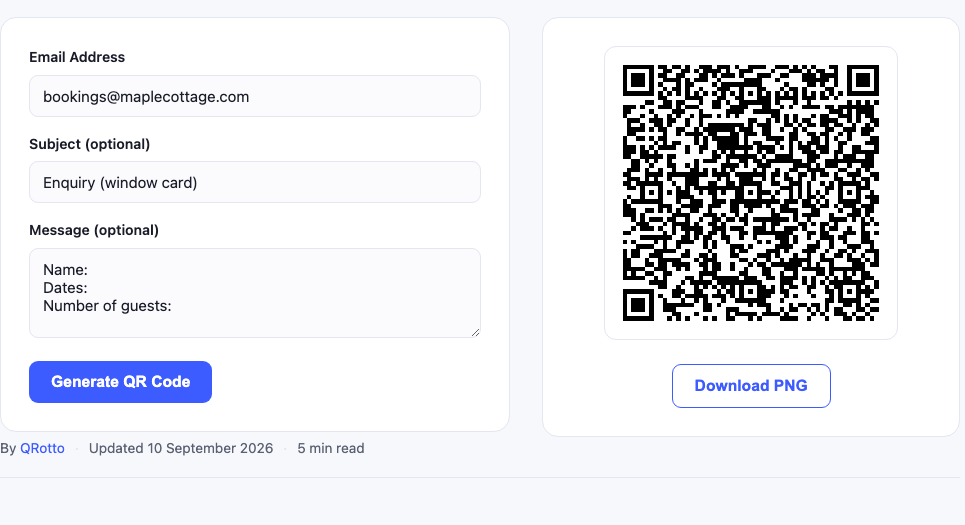
How to set it up
- Enter the destination address. Double check it, a mistake here is invisible until someone tells you their email bounced.
- Add a subject line if it helps you sort. A prefilled subject such as “Enquiry, shop window” tells you exactly which piece of print generated the message.
- Consider a short message body. Useful when you need specific information: “Please include your postcode and preferred callback time.”
- Test it by scanning with your own phone and checking the draft looks correct before printing.
Use the subject line as a tracking channel. Give each printed location its own subject text and your inbox tells you which poster, flyer or window is actually generating enquiries, no analytics service required.
Where it works well
- Shop windows and signage: a passerby can send an enquiry after hours without writing anything down.
- Trade stands and event materials: visitors contact you while the conversation is fresh.
- Invoices and quotes: a prefilled subject containing the reference number keeps replies organised.
- Support labels on equipment: the message body can prompt for the serial number.
- Recruitment posters: subject line preset to the role.
Things to know before printing
Spam exposure
A printed email address is scrapeable by anyone, though far less than one published on a web page. If the address is for public print, use a dedicated address rather than your main one, so you can filter or replace it later.
Longer content makes denser codes
A prefilled body of several sentences noticeably increases the pattern density. Keep the body short, or leave it empty and let the sender write freely.
Behaviour varies by device
Most phones open the default mail app. A phone with no mail account configured may do nothing useful, which is a good reason to print the address as text underneath the code as well.
Frequently asked questions
Does the recipient see the prefilled text?
They see it in their draft before sending, and they can edit or delete it. Treat prefilled content as a helpful default, not a guarantee.
Can I add multiple recipients or CC?
The mailto format supports it, but support across mail apps is inconsistent. A single recipient is the reliable choice.
Does it expire?
No. The address is inside the image, so it works as long as the mailbox exists.
Related tools
If you want a phone number instead of an email, the SMS QR code generator opens a prefilled text message. For full contact details in one scan use the vCard generator, and for a link to a contact form use the URL generator. Print sizing is covered in our guide to QR code sizes.
Choosing between email, SMS and a contact form
| Email code | SMS code | URL to a form | |
|---|---|---|---|
| Best for | Detailed enquiries | Quick questions | Structured data |
| Works offline | Drafts offline, sends when online | Yes | No |
| Cost to sender | None | Standard SMS rate | Data only |
| Attachments | Yes | No | Depends on the form |
| You control the fields | Only as a prompt | Only as a prompt | Fully |
| Reply lands in | Your inbox | Your phone | A form service |
A useful rule: if you need specific information every time, postcodes, dates, quantities, a form is worth the extra step. If you mainly need the conversation to start, the email code converts better because there is nothing to load and nothing to fill in.
Writing a prefilled body that actually helps
The prefilled message is the part most people either skip or overuse. Two short prompts usually beat a paragraph:
- Good: “Name:
Postcode:
What you need:” - Bad: a two paragraph template the sender must read, edit and partly delete.
Structured prompts get filled in surprisingly reliably, because the sender can see exactly what you need and it takes seconds. Long templates get deleted wholesale, which defeats the purpose and makes the code denser for nothing.
Keeping enquiries organised without extra software
Because you control the subject line, you can build a simple routing system with nothing but inbox filters:
- Give each printed placement a distinct subject, “Enquiry (window)”, “Enquiry (flyer)”, “Enquiry (van)”.
- Create a filter or label in your mail client for each.
- After a month, the label counts tell you which printed material is producing enquiries and which is decoration.
This is a genuine substitute for scan analytics in most small business cases, and it costs nothing.
Print considerations
Email codes are usually placed on signage read from a metre or more, which means they need to be substantially larger than a business card code. As a rule, size the code at least one tenth of the scanning distance, a full breakdown is in our print sizing guide.
Always print the email address as readable text near the code. Some people will prefer to type it, some phones will not cooperate, and the text costs you one line.