What an SMS QR code does
An SMS QR code opens the scanner's messaging app with your number already entered and, optionally, a message already typed. The person taps send. It is the lowest friction way to turn something printed into a conversation.
Text messaging suits situations where email feels too formal and a phone call feels too demanding: booking enquiries, quick questions, service requests.
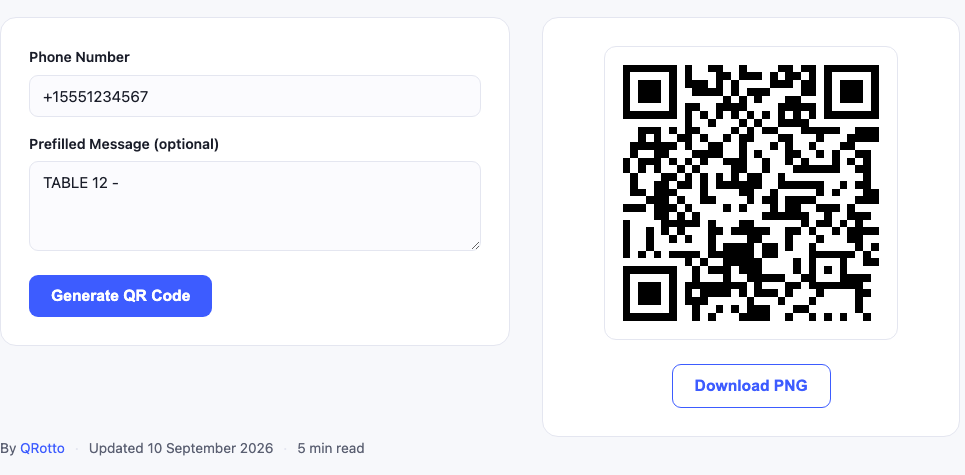
Setting it up correctly
- Use international format. Start with the country code:
+1,+44,+92. Without it, the message may fail for anyone whose phone is registered abroad. - Keep the prefilled message short. One line is ideal. Long text makes a dense code and gets deleted by the sender anyway.
- Use a keyword if you handle volume. Starting the message with a code word such as
QUOTEorTABLE12makes incoming messages sortable at a glance. - Test on both an iPhone and an Android device if you can, messaging app behaviour varies more than mail app behaviour.
The prefilled keyword is the real feature. A code on table 12 that prefills “TABLE 12, ” tells you instantly where the message came from, without any system beyond your phone.
Practical uses
- Table service: customers message the bar rather than queuing, with the table number prefilled.
- Property and vehicle signage: a passerby can enquire immediately without writing a number down.
- Appointment reminders on printed cards: prefilled with the reference so rescheduling is one tap.
- Field service labels: a fault report prefilled with the equipment ID.
- Events: questions to a panel, or a simple check in message.
Limitations worth knowing
Message length affects density
Every character in the prefilled message becomes data in the code. A short prompt keeps the pattern simple enough to scan from a table or a shop window.
App behaviour varies
Most phones open the default SMS app with everything filled in. Some third party messaging apps handle the format less predictably, occasionally filling the number but not the message. The number is the part that matters, and it is the part that works consistently.
Costs fall on the sender
The person scanning pays their normal SMS rate, which can be significant for international senders. For a venue with overseas visitors, an email or URL code may be kinder.
Frequently asked questions
Does the message send automatically?
No, and it should not. The draft opens and the sender taps send. Sending is left to the person holding the phone, which is a deliberate safeguard rather than a limitation of the code.
Can I use a shortcode or landline?
Shortcodes generally work. Landlines will open the messaging app but the message will not arrive unless the line supports SMS.
Can I use this for WhatsApp?
Not directly, WhatsApp uses its own link format. A URL QR code pointing at a wa.me link is the way to do that.
Does it expire?
No. The number and message live in the image itself.
Related tools
For written enquiries, the email QR code generator works the same way with a mail app. Full contact details go in a vCard code, and venues usually want a WiFi code on the same table card, our café setup guide covers the combination.
Designing the prefilled message
The wording you prefill does more work than the number. A few patterns that hold up in practice:
- Location keyword first:
TABLE 12orROOM 4. You know instantly where the message came from. - Action keyword:
QUOTE,BOOK,FAULT. Sortable at a glance when volume grows. - Leave the rest open. A trailing dash invites the sender to continue writing, which is exactly what you want.
Avoid prefilling a complete sentence that the sender is expected to send unchanged, it reads as automated and most people delete it anyway.
SMS, WhatsApp and messaging apps
SMS QR codes use the phone's built in messaging app. If your customers primarily use WhatsApp, which is the case across much of South Asia, the Middle East, Latin America and southern Europe, a plain SMS code may not match how they actually communicate.
For WhatsApp, generate a URL QR code pointing at a wa.me link with your number, optionally with prefilled text. It behaves the same way from the user's point of view: scan, message opens, tap send.
Match the channel to your audience, not to your preference. A code that opens the wrong app costs you the enquiry, because almost nobody will copy the number across manually.
Practical setup for table service
Venues using SMS for table service tend to converge on the same setup:
- One code per table, each prefilled with that table number.
- A dedicated phone or number for incoming messages, so it does not land on a personal device.
- The number printed as text underneath, for customers who prefer to call.
- A clear line of text explaining what the code does, “Text us for table service”, because an unlabelled code gets ignored.
The last point is the one venues skip most often. A QR code with no explanation next to it has a very low scan rate, regardless of how well it is printed.
Costs, deliverability and expectations
Two things to be clear about before rolling this out widely:
- The sender pays. Domestic SMS is usually included in modern plans, but international visitors can be charged significantly. For venues with tourist traffic, offer an alternative.
- You need to actually reply. An unanswered text is worse than no code at all, it reads as being ignored, in a way an unanswered email does not.
If nobody can monitor the number during opening hours, an email QR code sets more realistic expectations about response time.